
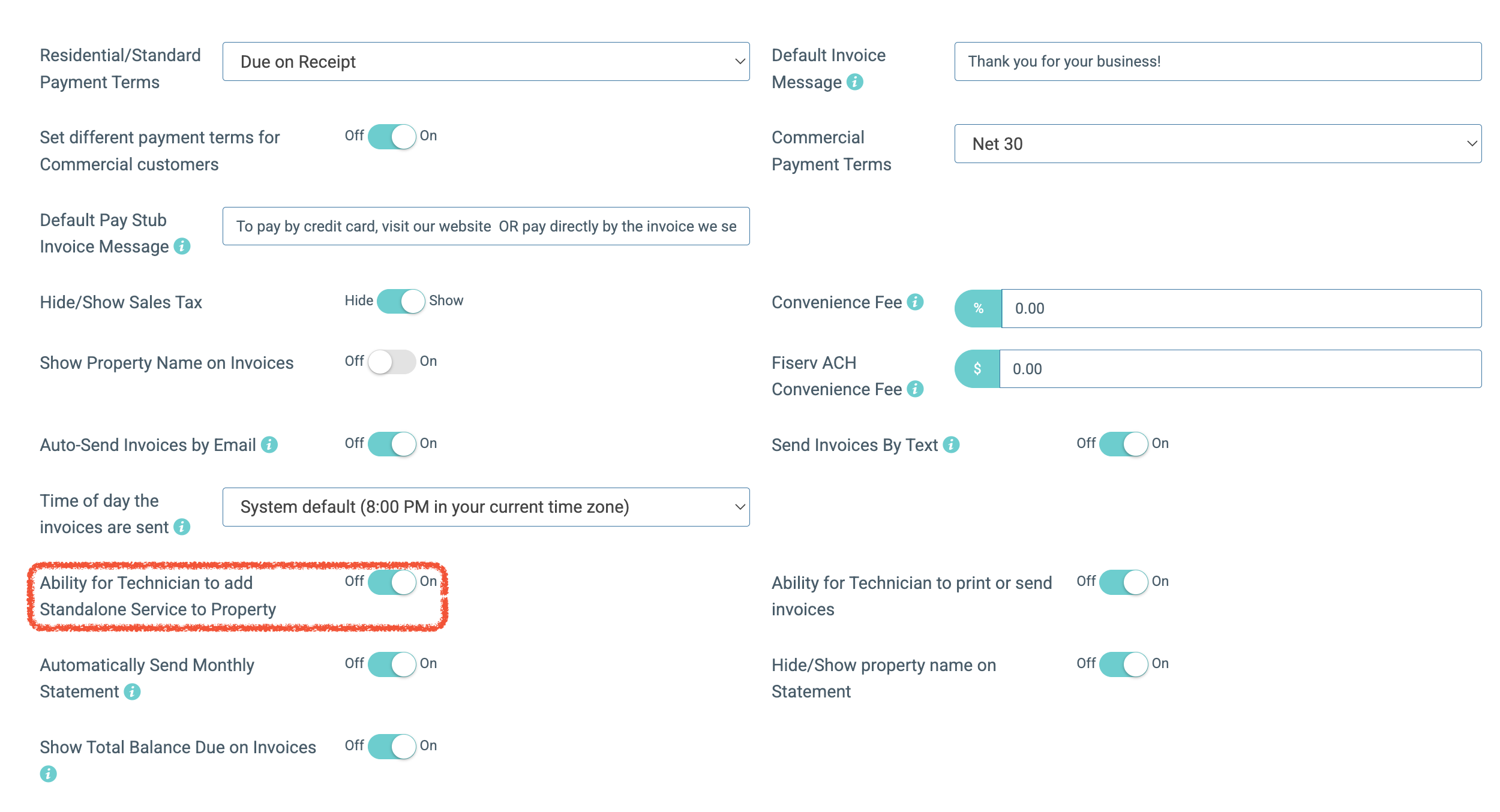
In your global settings, you'll find a feature in your invoice section called, "Ability for Technician to add Standalone Service to Property"
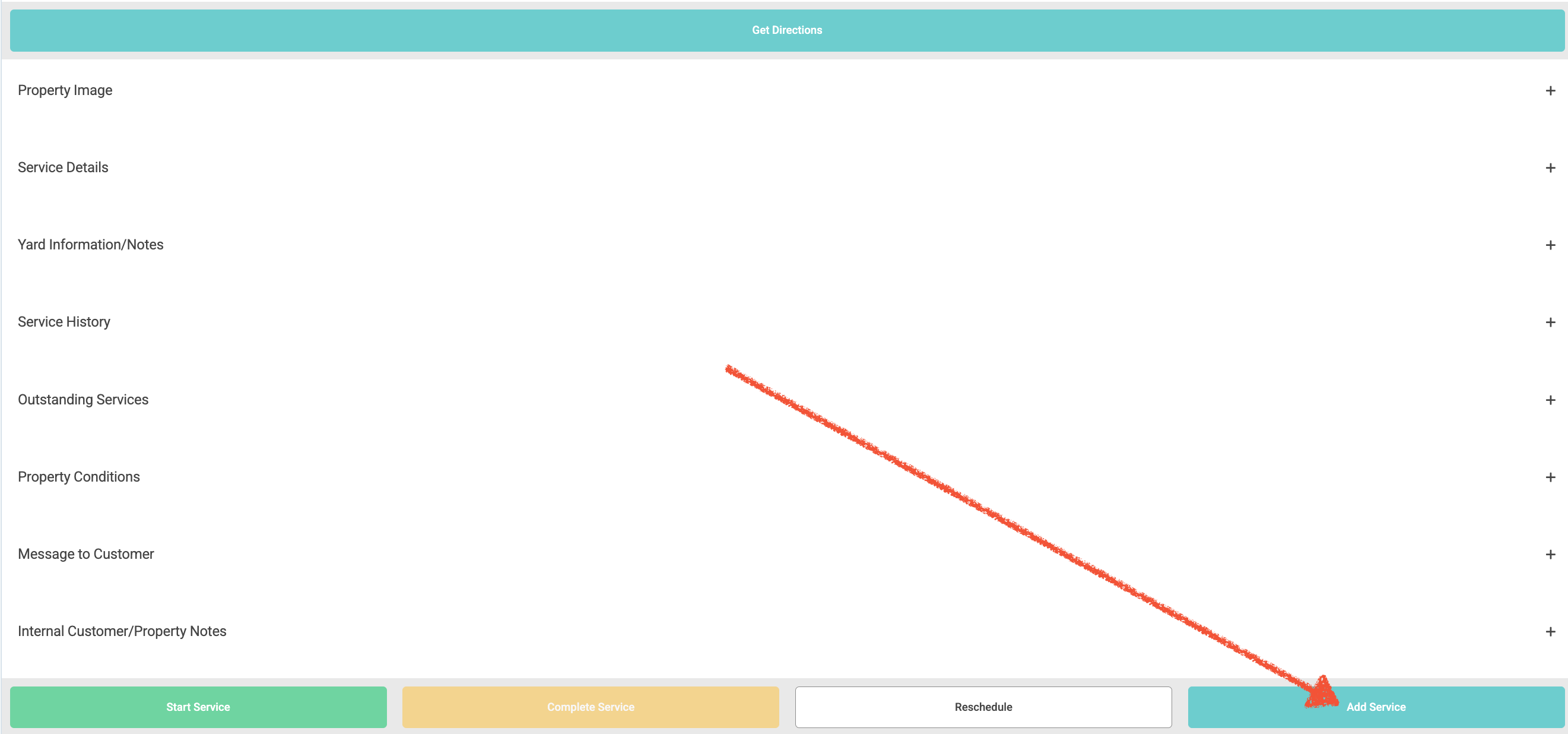
After enabling this feature, your technician can add a service while at a current stop by clicking the Add Service button in the lower right corner of the screen after clicking on a stop.
This will provide your tech with the options shown below:
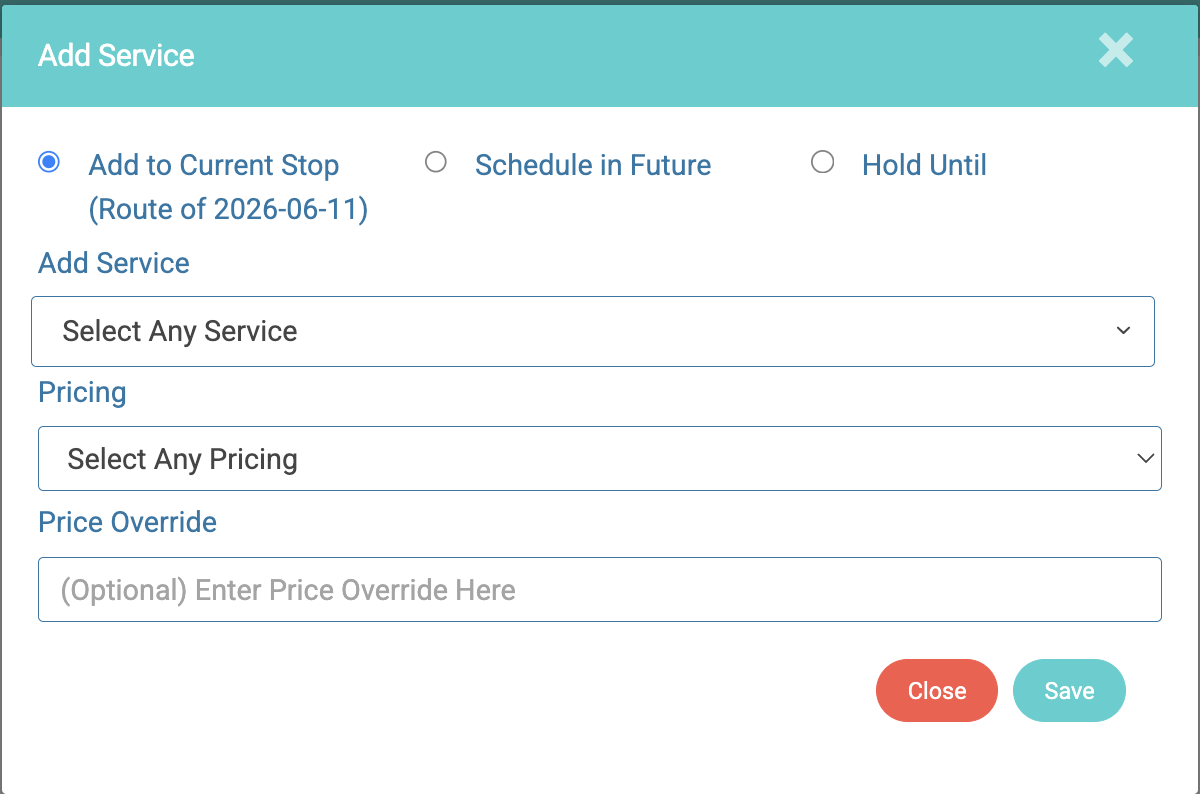
- Add to Current Stop: Adds the service to the stop they're currently completing allowing them to complete both services simultaneously and bill accordingly.
- Schedule in Future: Assigns the service to the property. You can schedule this service anytime from the admin view.
- Hold Until: Assigns the service to the property. You can schedule this service anytime from the admin view after the "hold" date.