
Understanding who is responsible for a sale and where your leads are coming from is essential for evaluating your business growth. This article guides you through assigning sales representatives to accounts and running reports to track your sales by source.
Managing Sales Representatives
Sales representatives are tracked at the transaction level rather than the general property level. This allows you to attribute different projects or contracts at the same property to different reps if necessary.
How to Assign or Edit a Sales Rep:
- During the Proposal Stage: When creating or editing an Estimate, select the appropriate sales representative from the designated drop-down field.
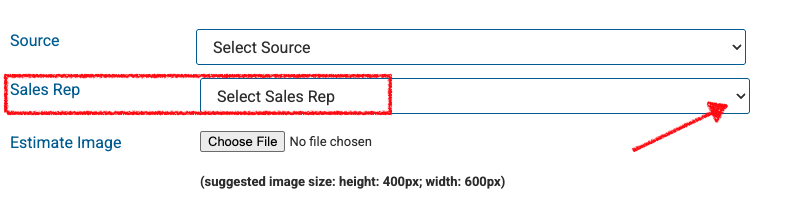
- On Accepted Estimates: If an estimate has already been accepted (a legacy estimate) but needs to be credited to a different team member, you can still open the estimate, edit the sales rep field, and save the changes to update your tracking.
Tracking Property Sources
To look at a customer or property more holistically rather than just project-by-project, use the Source field. This tracks the origin of the customer (e.g., Referral, Google Ads, Direct Mail) for long-term marketing analysis.
How to Set a Property Source:
Navigate to the Property Screen for the specific customer.
Locate the Source field (typically under marketing or account details).
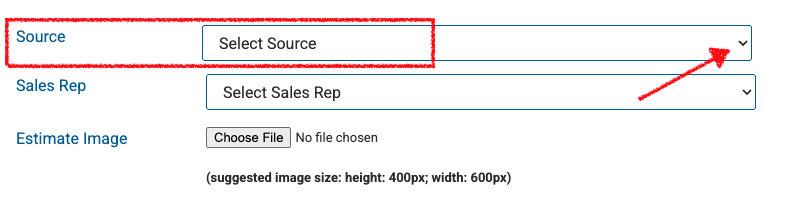
- Select or enter the lead source and Save.
Running Sales by Source Reports
Once your sources are properly populated on your properties, you can pull comprehensive data using several built-in reports. Depending on the exact angle of data you need, we recommend the following areas:
Recommended Reports:
| Report Name | What It Tracks | Best Used For |
| Marketing / Customer Data Report | Customer demographics filtered by their origin. | Analyzing customer acquisition costs and general lead success rates. |
| Sales Summary Report | Revenue and closed deals grouped by data points. | Viewing the exact financial dollar amount generated by each specific source. |
| Available Work Report | Outstanding or upcoming jobs in your pipeline. | Projecting future revenue based on where those customers originated. |
Best Practices for Clean Data
Standardize Drop-downs: Keep your "Source" list consistent. Instead of creating "Google", "Google Ads", and "Web Search", combine them into a single standard source like Digital - Google for cleaner reporting.
Update Legacy Estimates Promptly: If a sales commission or report looks incorrect, double-check the sales rep assigned directly inside that specific accepted estimate.