
The Bulk Accept estimates feature for Interactive Estimates provides the ability to bulk accept one or more Interactive Estimates at the same time.

To bulk accept Interactive estimates select one or more estimates, using the checkboxes, on the left side of the page and then click on the Bulk Accept button at the top of the page.
At the top of the page that opens you will see the number of estimates selected. Select the Payment Type and the Program Package. At the bottom you will see a summary of what you selected.
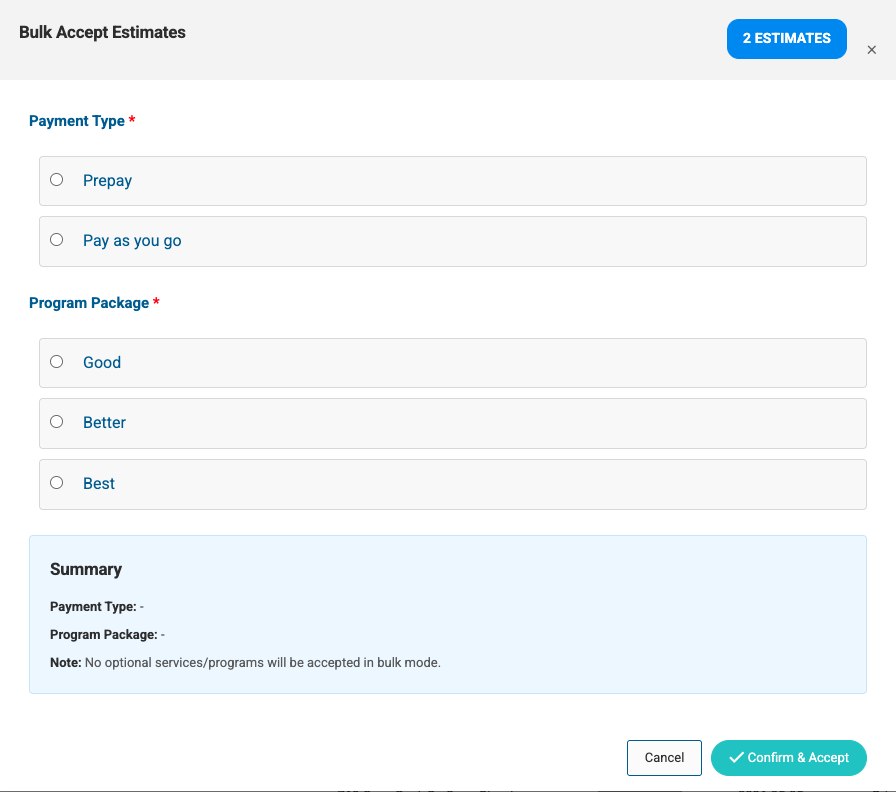
Click the Confirm & Accept button to complete the bulk acceptance of the selected estimates. To cancel and start over click the Cancel button.
Note: No optional services/programs will be accepted in bulk mode. Accepting Interactive Estimates in bulk mode will also bypass the required credit card setting.