You can manually send multiple invoices together in one email.
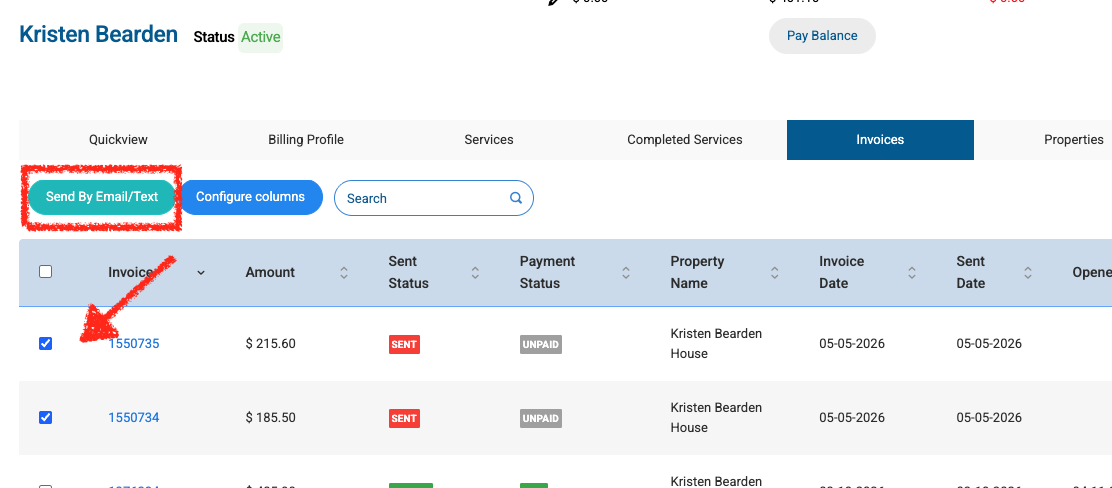
To send multiple invoices in one email:
- Go to the customer’s profile.
- Click the Invoices tab.
- Select the invoices you want to send, such as all new invoices from the past month.
- Click Send by Email/Text.
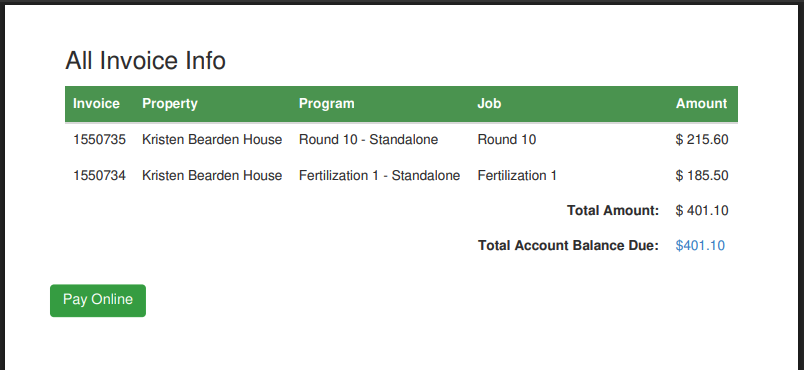
Spraye will combine the selected invoices into a single email and PDF. The PDF includes a summary page that totals all selected invoices and provides one payment button so the customer can pay everything at once. The customer can still see the breakdown for each individual property or invoice.
View of the Summary page on the combined invoice PDF which is attached to the email sent: