
In SPRAYE, you don't actually need to add credits for prepay customers. You can simply assign them to a "prepay" program and either send out the prepay invoice that's generated or mark it as paid. See instructions below:
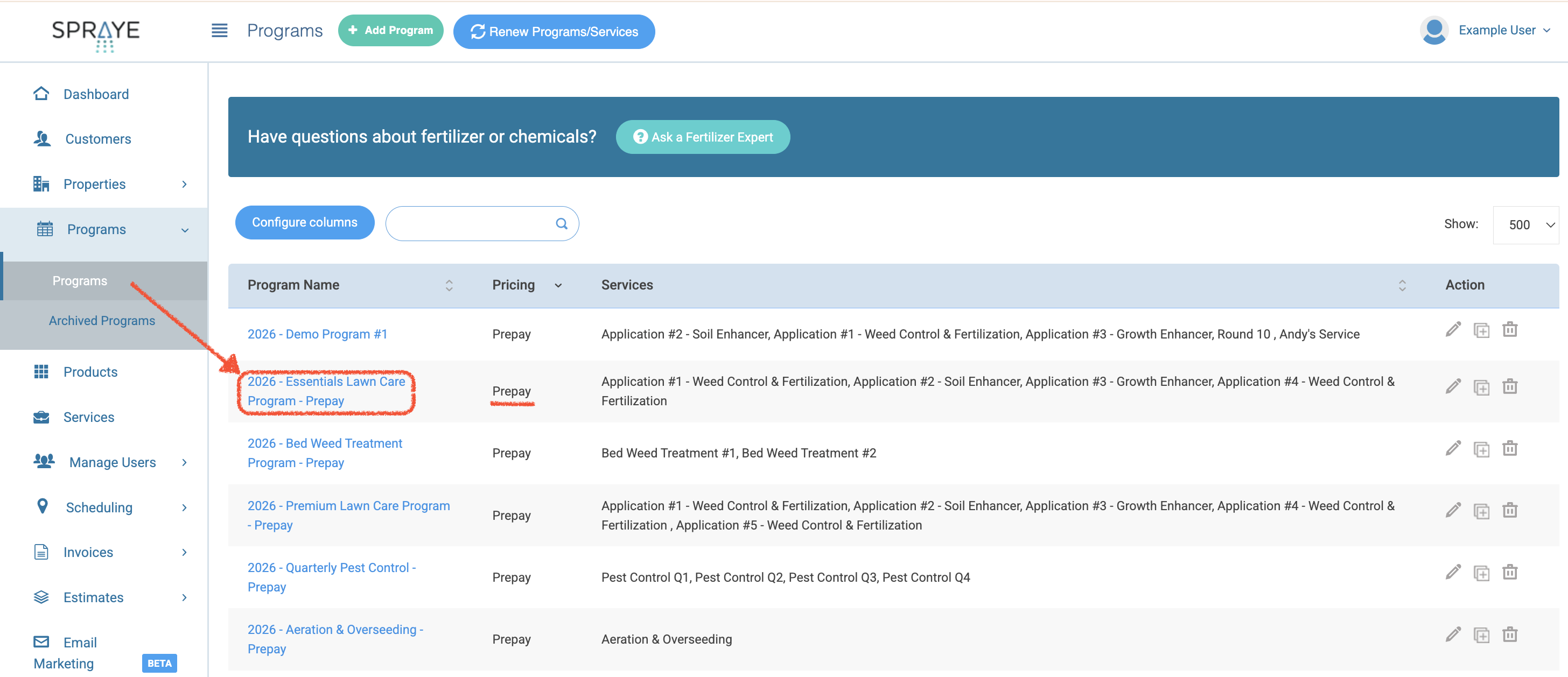
- Go to the main programs page and select the prepay program:
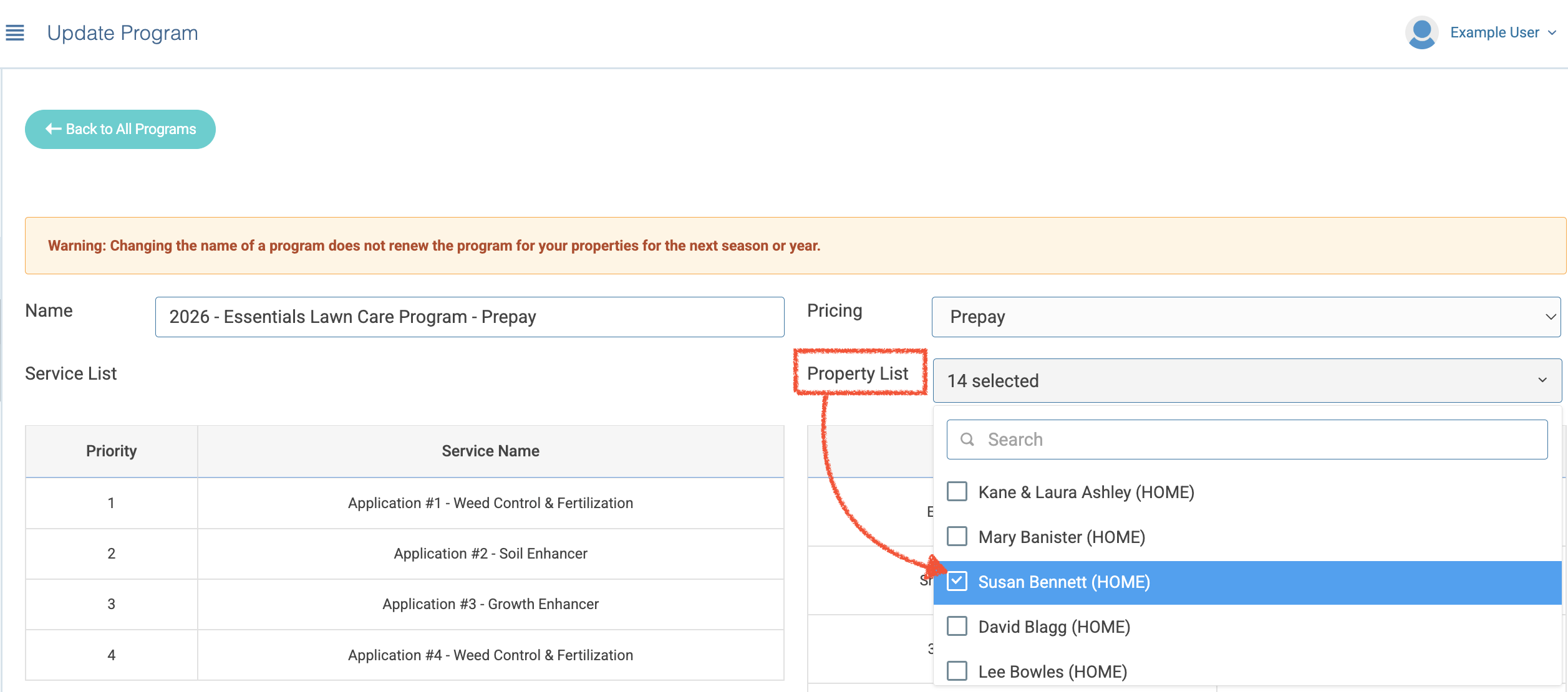
- Click on the Property List dropdown menu and select the customer's property:
- Enter the price override per service (if needed) and click Save:
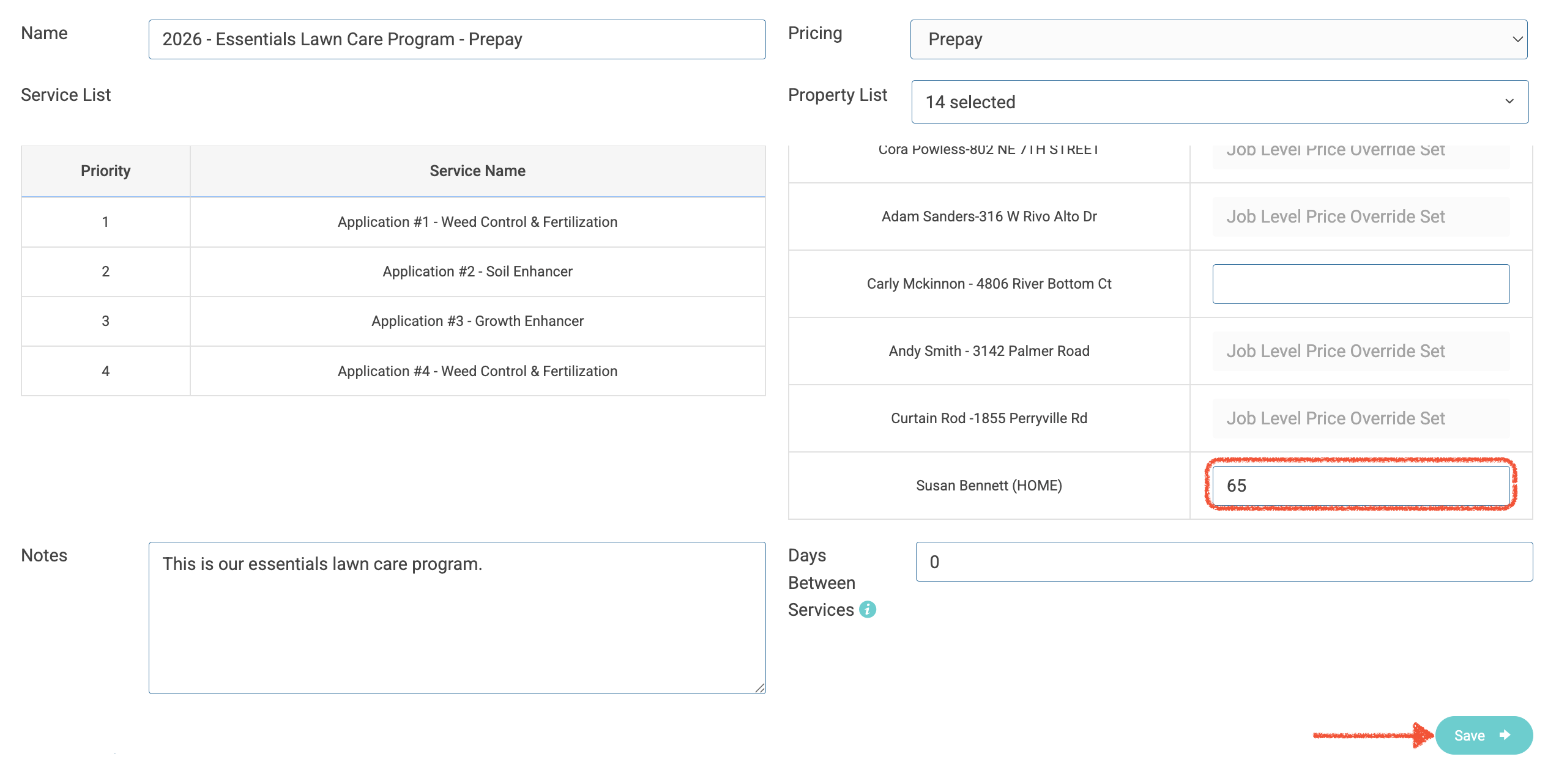
- Once saved, SPRAYE will automatically generate a prepay invoice for all the services within that program using the price override (if entered) for each service. You can then apply any prepay coupons necessary to the invoice and mark it paid from the Active Invoices screen.