
When a property changes ownership, you can easily reassign it to a new client without losing its historical data. If the new property owner is not yet in your system, you must create their customer profile before initiating the transfer.
Step 1: Create the New Customer (If Needed)
If the incoming owner is a brand-new client, set up their profile first using this specific sequence to avoid creating a duplicate property entry:
- Navigate to Add New Customer and fill out their personal/billing profile details.
- Advance to the next step. When the system prompts you to enter the Property Info, leave these fields completely blank.
- Instead of saving a new property, click the Properties tab on the left-hand navigation menu. This will take you back to the main properties page, leaving you with a property-free customer account ready for assignment.
Step 2: Reassign the Property & Transfer Records
Once the new customer exists in the system, follow these steps to transfer the property:
- Navigate to the main Properties page and open the specific Property Profile Page you wish to transfer.
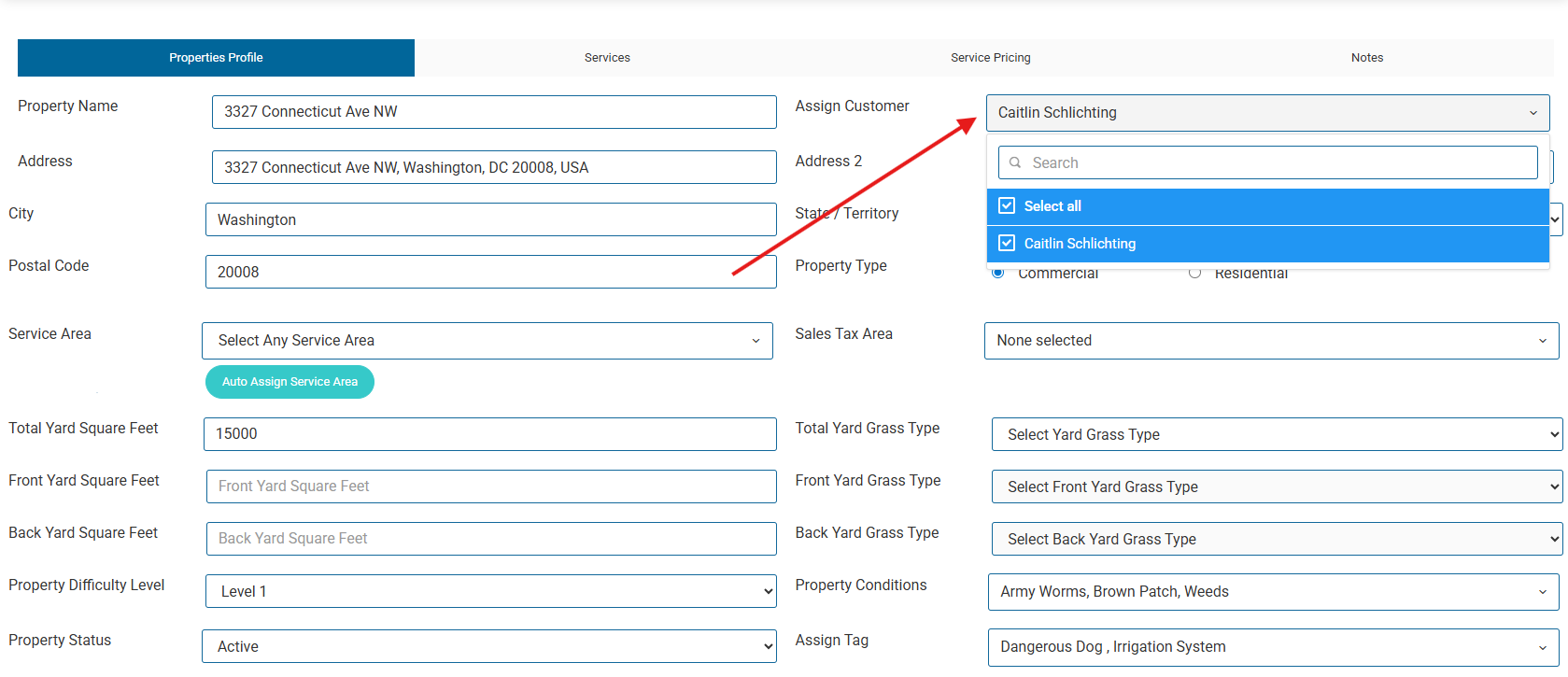
- Click on the Assign Customer box. A dropdown menu will appear showing the customer currently linked to the property.
- Unassign the current owner: Click the checked box next to the current owner's name to unselect them.
- Search for the new owner: In the search bar at the top of that same dropdown menu, type the name of the new customer.
- Assign the new owner: Click on the new customer's name in the search results.
- Scroll to the bottom of the property profile page and click Save.
Managing Historical Records
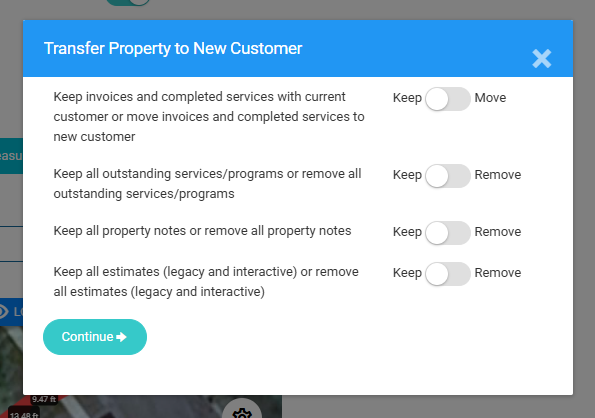
After clicking save, a prompt window will automatically appear asking how you want to handle the historical data.
- Review the questions and select the appropriate toggles based on your needs.
- Past invoices can be kept with the current customer or moved with the property to the new customer.
- Outstanding Services/Programs can be kept or removed.
- Property Notes associated with the property can be kept or removed
- Previous Estimates can be kept or removed.
- Click Continue.
The property is now successfully assigned to the new customer, and all selected historical records will remain preserved and associated with that physical location.