

In order to create a property as a "Prospect" in Spraye, you simply specify property status as "Prospect" when creating the property. A few things happen when you do this:
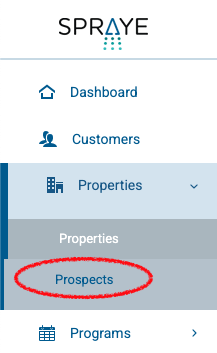
- The property is created but is only shown on the "Prospects" section of the properties. It will not show in your main properties list.
- Once a Prospect has been created you can manually assign a "Sales Visit" as a Standalone service to the prospect which allows you to schedule and complete the sales visit. Within the sales visit on the tech view, you'll have options to create estimates, edit property details, and sign the customer up for auto-pay right from the technician view.

- You'll be prompted to add a source (sales rep, website promotion, referral, etc.) for a prospect
- If you create an estimate for a prospect and it's accepted, their prospect status will automatically change to "Active" in Spraye.